01 · OVERVIEWA score from 0 to 100, with what to do.
Check your Mac's health so you can act!
Keep an eye on it from the menu bar, without opening the app.
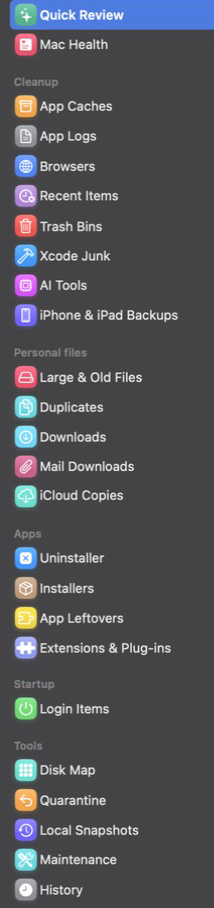
- Quick Review
- Mac Health
- Menu bar
- Alerts
- Review reminder
Zelo frees up space on your Mac. Anything that matters can come back if you want it.
Everything that piles up quietly, found in a single scan.
Nothing leaves without passing before your eyes. Anything with medium or high risk waits in Quarantine.
Cleanup with care.
Zelo frees up space on your Mac. Anything that matters can come back if you want it.
Caches, logs, browsers, trash bins, Xcode and AI tool junk, installers and login items. Zelo looks at everything at once and shows how much each one takes up.
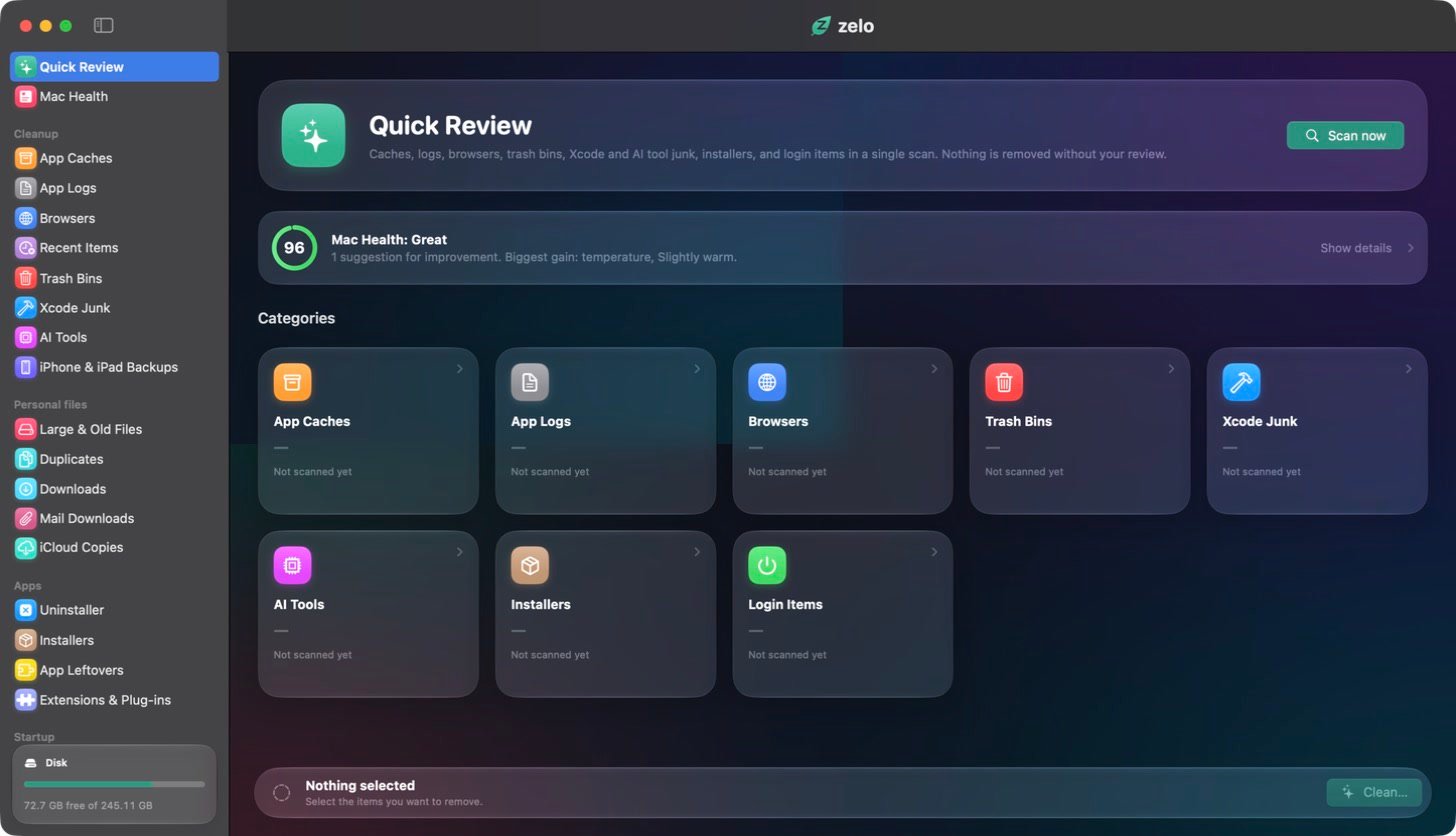

Six groups covering a wide range of needs.
Check your Mac's health so you can act!
Keep an eye on it from the menu bar, without opening the app.
Caches, logs, browser leftovers, trash bins, old iPhone and iPad backups, and the gigabytes Xcode and AI tools keep without telling you.
Zelo only points things out. You decide what goes.
With iCloud copies, only the download leaves your Mac. The file stays in iCloud and downloads again when you open it.
Dragging an app to the Trash leaves preferences, caches and support files scattered around. Zelo removes the app along with everything it spread out, and finds the leftovers of apps you already deleted.
Right from the Finder, too: right-click an app and choose Uninstall with Zelo.
See what opens on its own when you turn on your Mac, and switch off what you don't use, without deleting anything.
See where the space went: a breakdown of folders and libraries showing how much is originals, database, thumbnails and more.
Routine fixes in a single click. History with the total freed this month and a chart of the last 6 months.
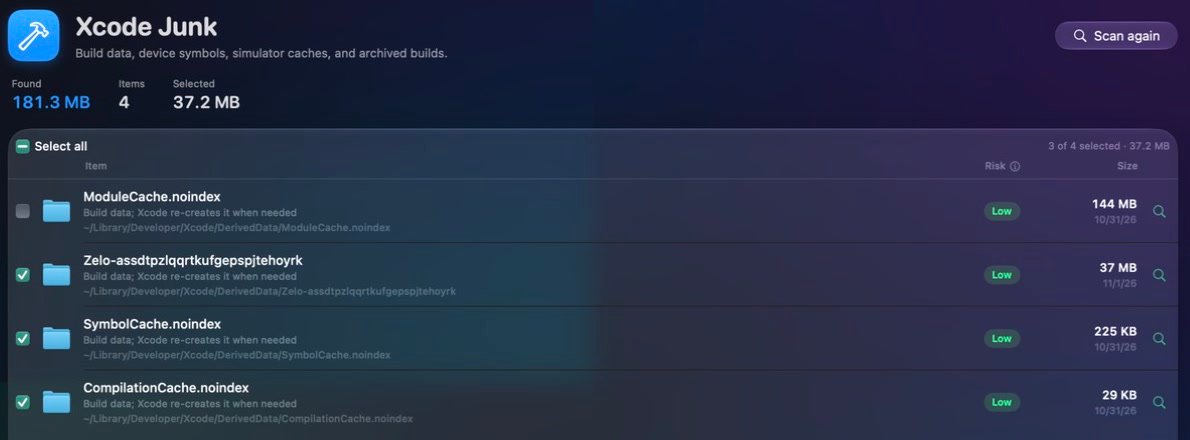
If you code, edit or run AI models, you know work junk grows fast. Zelo separates what can go from what is your work, and tells you the risk of each item.
zelo command runs the review and shows health, login items and maintenance, with JSON output. By default it only simulates: it changes files only with --yes.


In Quarantine · 7 days
3 items selected · 3.71 GB
256 GB Macs
See what takes up space and free it without fear of deleting the wrong thing.
Quick Review · Disk Map · iCloud Copies
Photographers and creators
Find duplicates and large, old files, and see how much of your Photos library is originals and how much is thumbnails.
Duplicates · Large & Old Files · Photos map
Developers
Build data, simulators and archived builds, plus a command line with JSON output.
Xcode Junk · Terminal
People running AI on a Mac
Every downloaded model takes gigabytes. Zelo lists them all, and none come selected.
AI Tools
The best-known Mac cleaners charge a yearly subscription. Zelo is yours with a single payment.
| Criterion | Zelo | Subscription apps | Free tools |
|---|---|---|---|
| Payment | Once | Every year | Free |
| Cleanup, uninstaller, disk map, health and maintenance | In one app | In one app | One app per task |

Zelo · Lifetime license
$19
one-time payment
Secure payment, processed by . Taxes calculated at checkout.
Scan free, forever: Quick Review, Disk Map, Mac Health and the menu bar. Before you buy, clean up to 2 GB and uninstall 1 app.
It was built to avoid that. Keychains, Mail, Messages, Photos, iCloud and essential system folders are out of reach. Every item shows its risk level and the reason, and anything medium or high risk goes to quarantine for 7 days and can be restored.
No. Scanning and cleaning happen on your Mac.
No. It doesn't look for or remove viruses. macOS has its own protections for that.
To see the Trash, iPhone and iPad backups, Mail attachments and recent items lists. Without it, Zelo still finds most caches. You grant it in System Settings > Privacy & Security, and can take it back anytime.
Zelo focuses on space and organization. When your disk is almost full, freeing space helps macOS work normally, but we don't promise miracles.
It's the name macOS gives to whatever doesn't fit the other storage categories, such as caches, logs, temporary files and snapshots. The system manages much of it on its own. Zelo finds and explains what is safe to remove from your user account: app caches, local snapshots and leftovers of uninstalled apps.
You can, if you know where every cache, every Xcode folder and every forgotten AI model lives, and what can or can't be deleted. Zelo brings it all into one scan and explains each item. And the scan is free, so you see what you have before you pay.
The scan is free forever: Quick Review, Disk Map, Mac Health and the menu bar. Before you buy, you can also clean up to 2 GB and uninstall 1 app.
No. You pay once and the license is yours, with no monthly fee and no renewal.
Up to 2 of your Macs.
You have 7 days to ask for your money back, no explanation needed.
On macOS 14 (Sonoma) or later, on Macs with Apple silicon or Intel.
The App Store has rules that would block much of Zelo, such as asking for the administrator password for system services. Outside it, Zelo is signed and notarized by Apple.
English, Portuguese, German, French, Japanese and Spanish.
See what weighs on your Mac before you decide anything.